Add to Cart for Quotation / Order
Flow of quotation/order placement
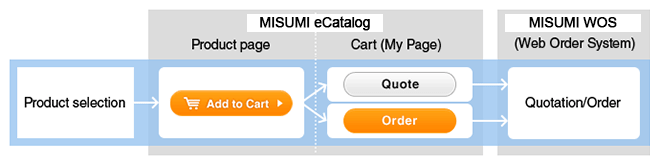
Add a product to the cart
Click the ''Add to Cart'' icon on the product page to add a product to the cart.
- *The ''Add to Cart'' icon will be displayed after the part number is confirmed.

*You will need to log into your account to order / quote items in your cart.


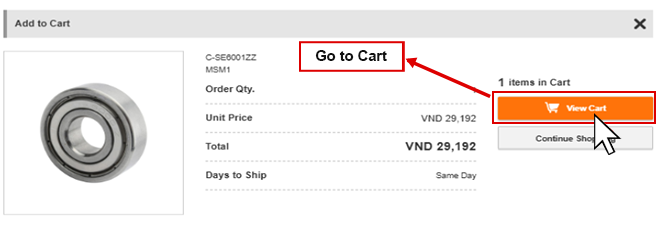
Cart page
On the cart page, you send products in cart to make Order / generate Quotations quickly. If you want to check a product for which you placed a quotation request/an order, choose Order History or Quotation History.
Change the quantity
You can change the quantity of a product which you want to place a quotation request/an order.
Just simply key in your update quantity and the product details will be updated.

Proceed to Order or Quote
Click on  or
or  at the right side under the "Total Amount" Section.
- *After proceeding to order or quote, you will be shown a confirmation screen to confirm your order / quotation details before proceeding to order / quote submission.
